> ## Documentation Index
> Fetch the complete documentation index at: https://docs.knowlix.ai/llms.txt
> Use this file to discover all available pages before exploring further.
# AI Website
> Create stunning, professional websites with AI-assisted design, drag-and-drop customization, and built-in SEO optimization
Knowlix AI Website Builder empowers you to create stunning, professional websites with AI-assisted design, drag-and-drop customization, and built-in SEO optimization.
The AI Website module provides:
* **AI Prompt Generation:** Create website boilerplate from text descriptions
* **Visual Block Builder:** Add and customize blocks with drag-and-drop
* **Real-Time Preview:** See changes instantly across all device sizes
* **SEO Optimization:** Built-in tools to rank higher in search engines
* **E-Commerce Ready:** Sell products directly from your website
* **Custom Domain:** Connect your own domain or use Knowlix subdomain
***
## Creating Your Website with AI
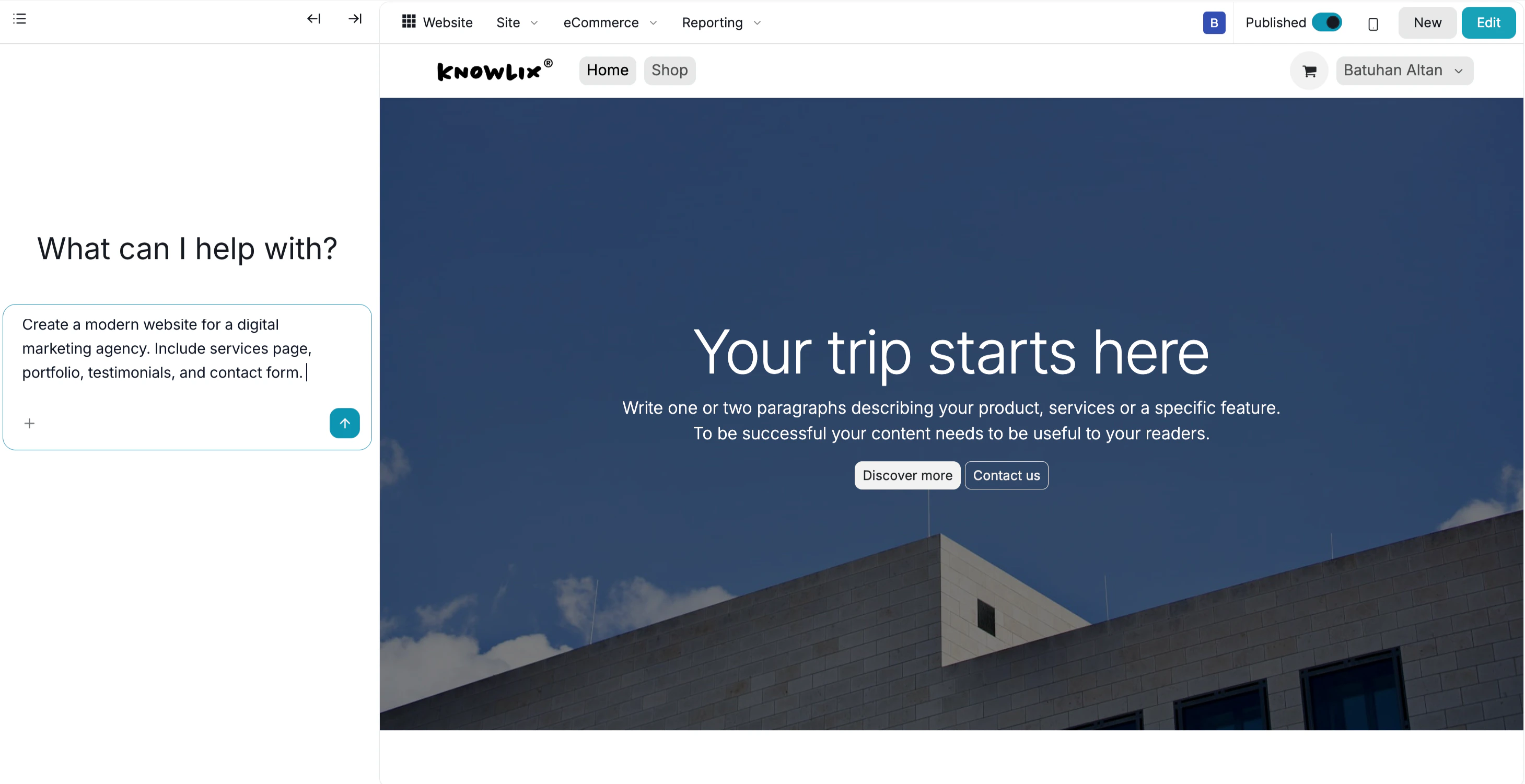
Generate your website structure using natural language prompts.
**AI Website Generation:**
* Click **Create Website** → **Generate with AI**
* Enter your prompt describing the website structure:
*"Create me a modern website for my travel page. Just create the boilerplate. I will fill on my own."*
*"Create a professional website for a digital marketing agency with services, portfolio, and contact sections."*
*"Build a restaurant website with menu, reservations, and location pages."*
* AI generates the basic structure and layout in seconds
* The boilerplate includes page structure, sections, and navigation
 ## Building and Customizing
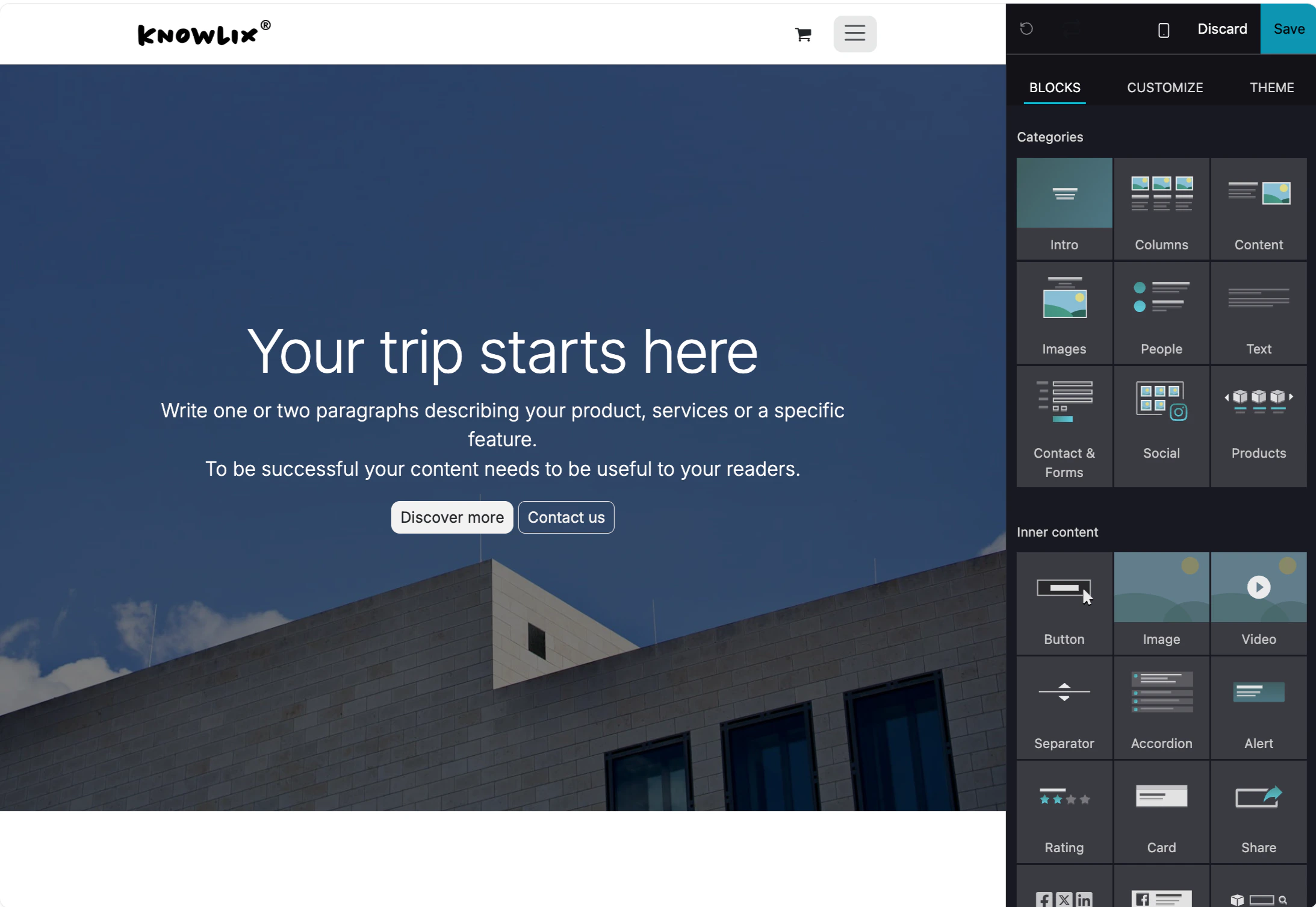
Add blocks and customize your website design.
**Adding Blocks:**
* Click the **+ Add Block** button in the top-right corner
* Choose from available block types:
* Hero sections
* Text blocks
* Image galleries
* Contact forms
* Feature grids
* Testimonials
* Call-to-action sections
## Building and Customizing
Add blocks and customize your website design.
**Adding Blocks:**
* Click the **+ Add Block** button in the top-right corner
* Choose from available block types:
* Hero sections
* Text blocks
* Image galleries
* Contact forms
* Feature grids
* Testimonials
* Call-to-action sections
 **Editing Blocks:**
* Click on any block to edit content
* Drag blocks to reorder them
* Customize colors, fonts, spacing, and layout
* Add images, videos, and other media
* Delete blocks you don't need
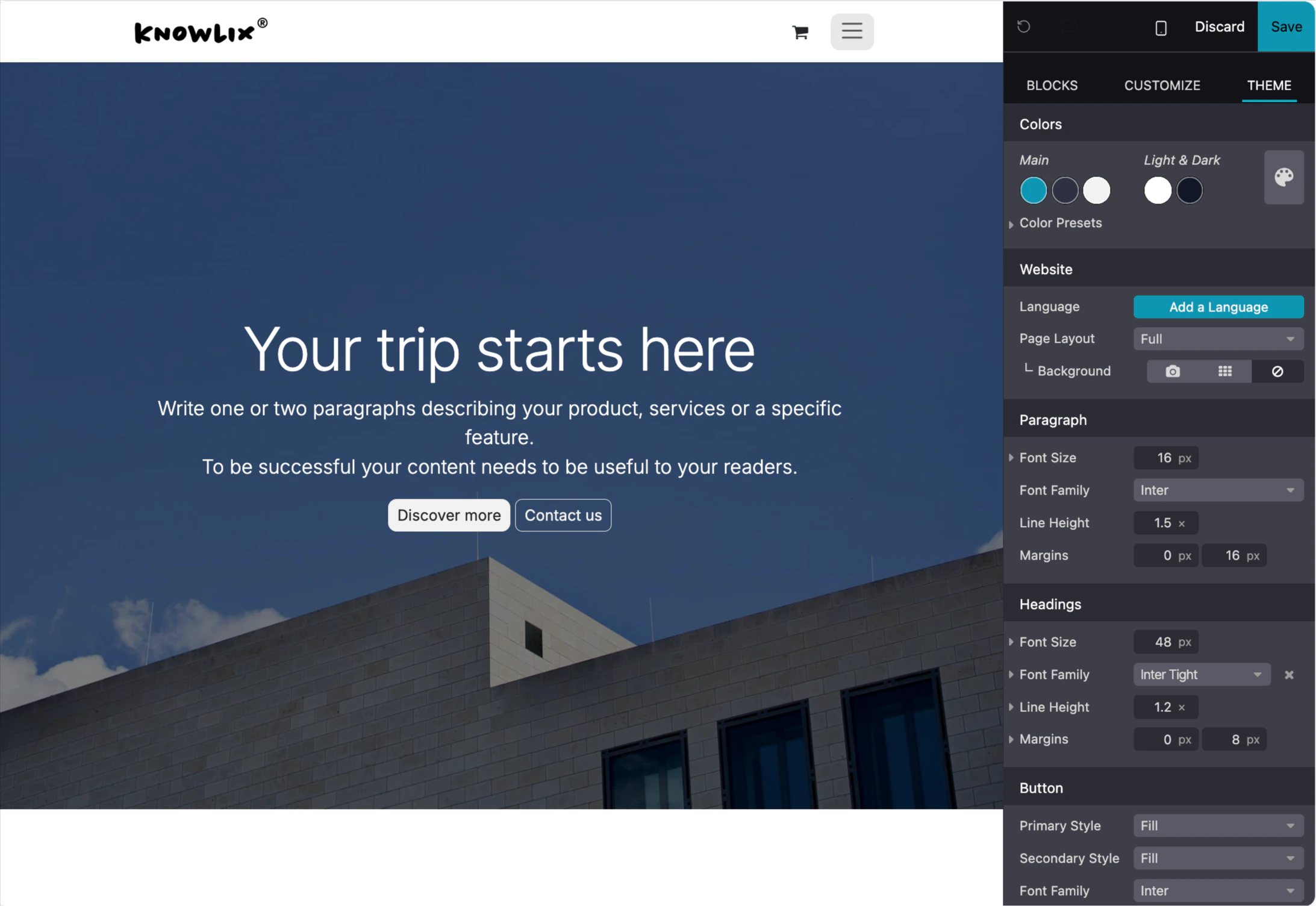
**Design Customization:**
* Change global theme colors
* Adjust typography and fonts
* Set spacing and padding
* Configure mobile responsiveness
* Preview changes in real-time
**Editing Blocks:**
* Click on any block to edit content
* Drag blocks to reorder them
* Customize colors, fonts, spacing, and layout
* Add images, videos, and other media
* Delete blocks you don't need
**Design Customization:**
* Change global theme colors
* Adjust typography and fonts
* Set spacing and padding
* Configure mobile responsiveness
* Preview changes in real-time
 ***
## More Information
Website builder and content management
Online store and product catalog
Blog authoring and content publishing
Community forum and discussion management
Online courses and training platform
Real-time customer support chat
AI assistant tips for the Website module
***
## More Information
Website builder and content management
Online store and product catalog
Blog authoring and content publishing
Community forum and discussion management
Online courses and training platform
Real-time customer support chat
AI assistant tips for the Website module