
Campaign Dashboard
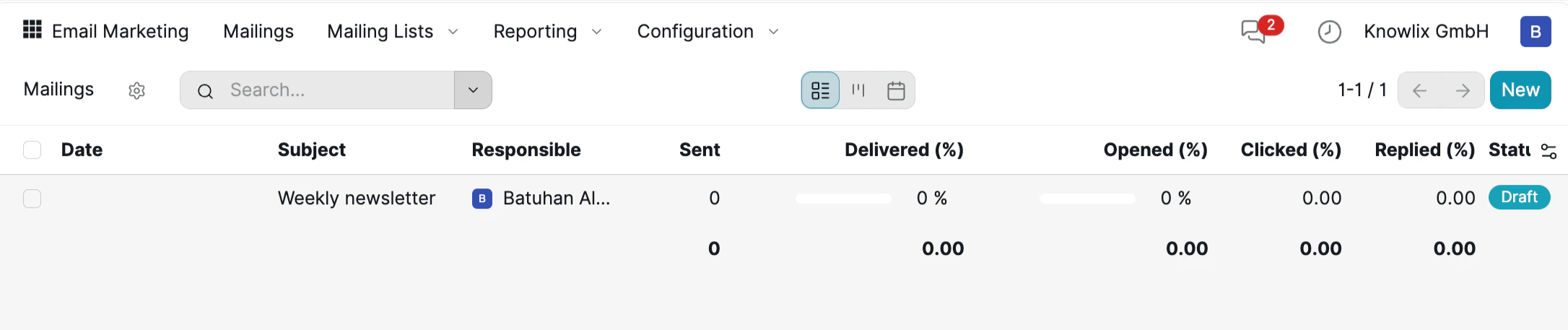
Building Your Audience
Before sending campaigns, set up your mailing lists to define who receives your emails.
- Total Contacts: Number of subscribers.
- Mailings: Campaigns sent to this list.
- Bounce / Opt-Out / Blacklist %: Delivery health metrics to monitor list quality.
Creating a Campaign
Click Mailings → New to start a new campaign. Choose from a library of pre-built templates.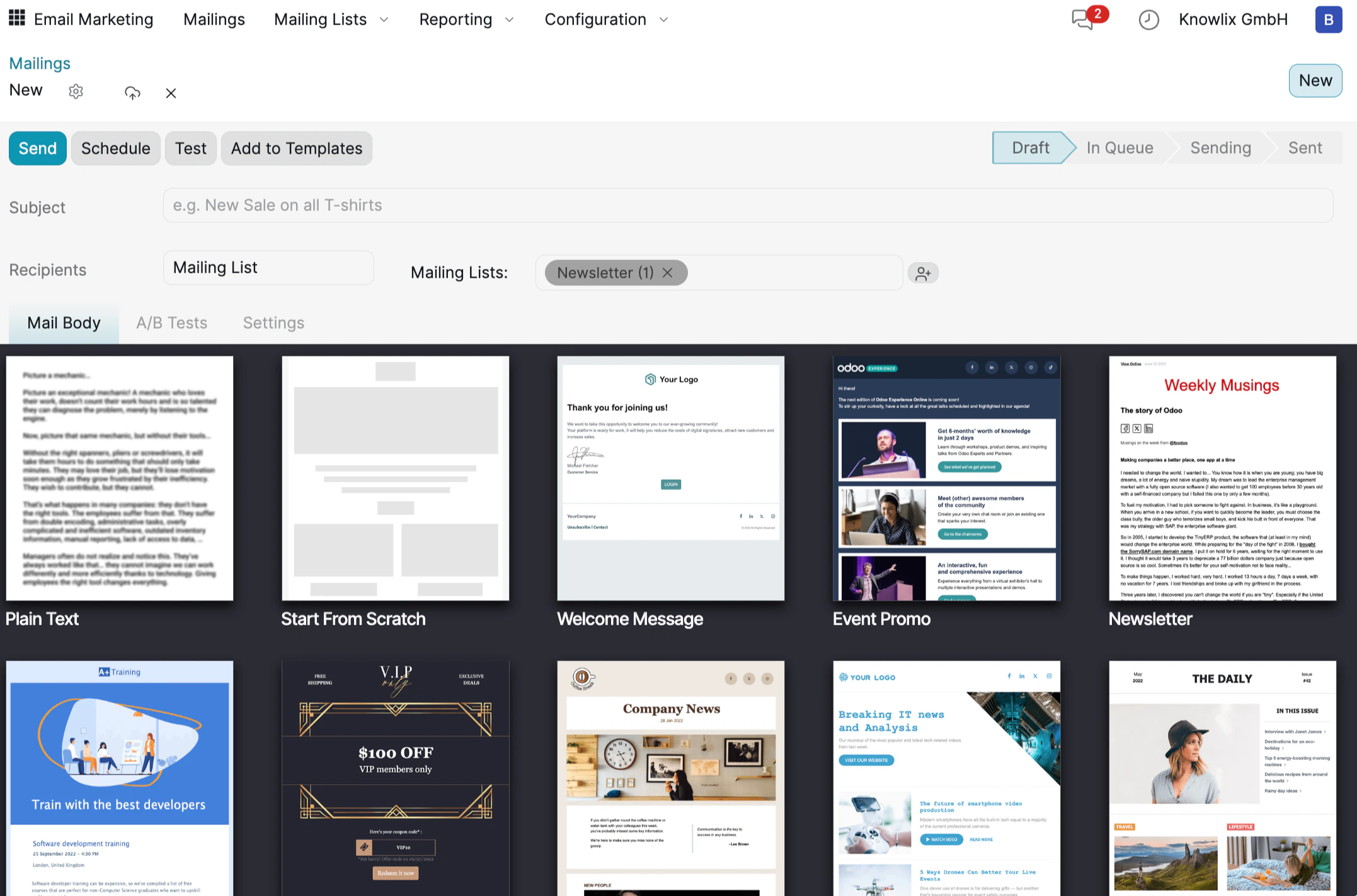
- Subject: The subject line recipients will see in their inbox.
- Recipients: Choose a Mailing List (e.g., Newsletter) as your target audience.
- A/B Tests: Create content variants to test which version performs best.
- Settings: Configure tracking and delivery options.
Designing Your Email
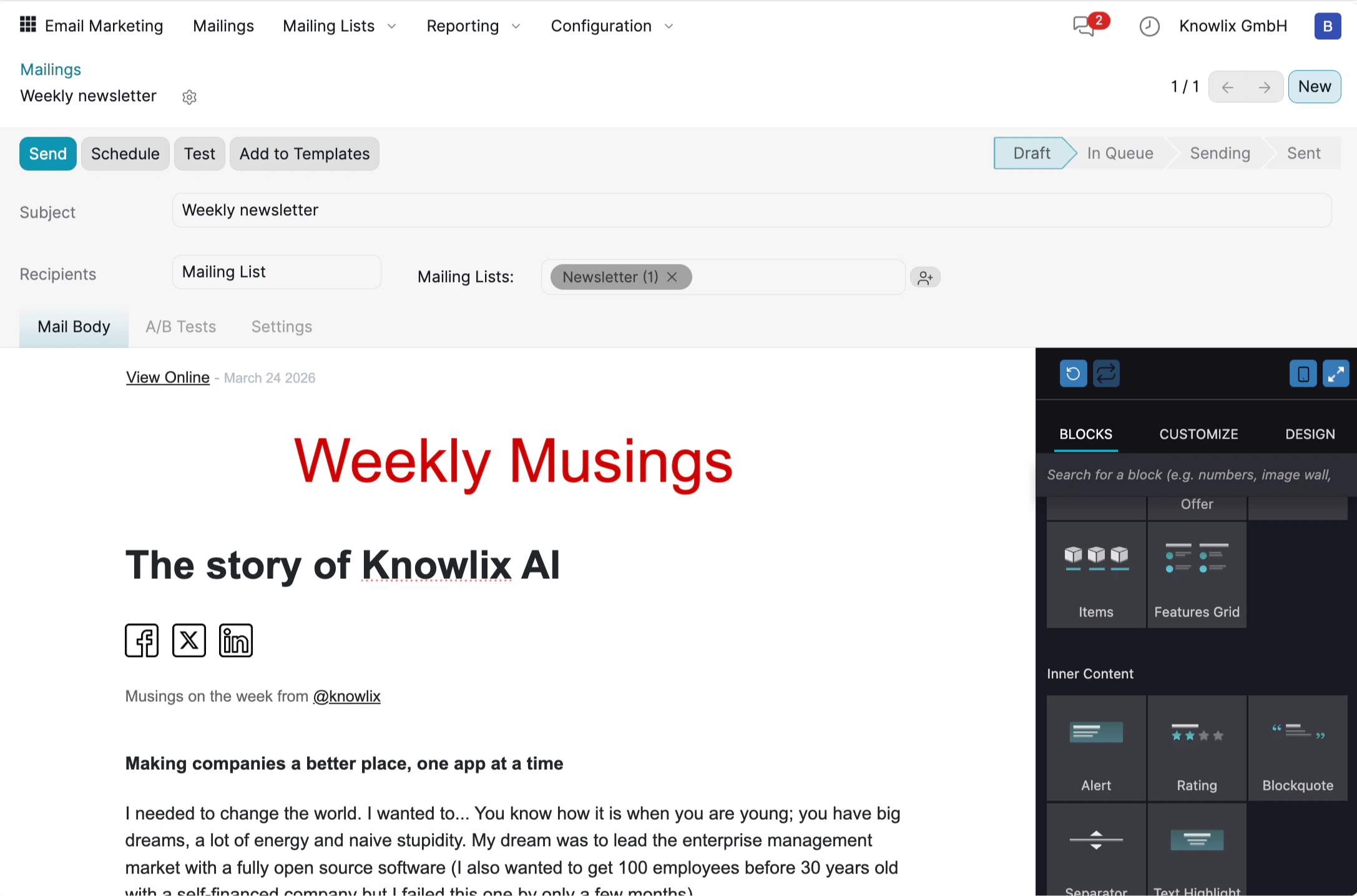
- BLOCKS: Drag pre-built elements into your layout — headers, text blocks, images, offers, feature grids, comparisons, and more.
- CUSTOMIZE: Click any element to edit its content, layout, background, and text formatting. Use the AI button to generate or rewrite copy instantly.
- DESIGN: Set global styles for your entire email — body width, background colors, heading sizes, font families, button styles, and link formatting.
Testing Your Campaign
Before sending to your full audience, verify your email by sending a test.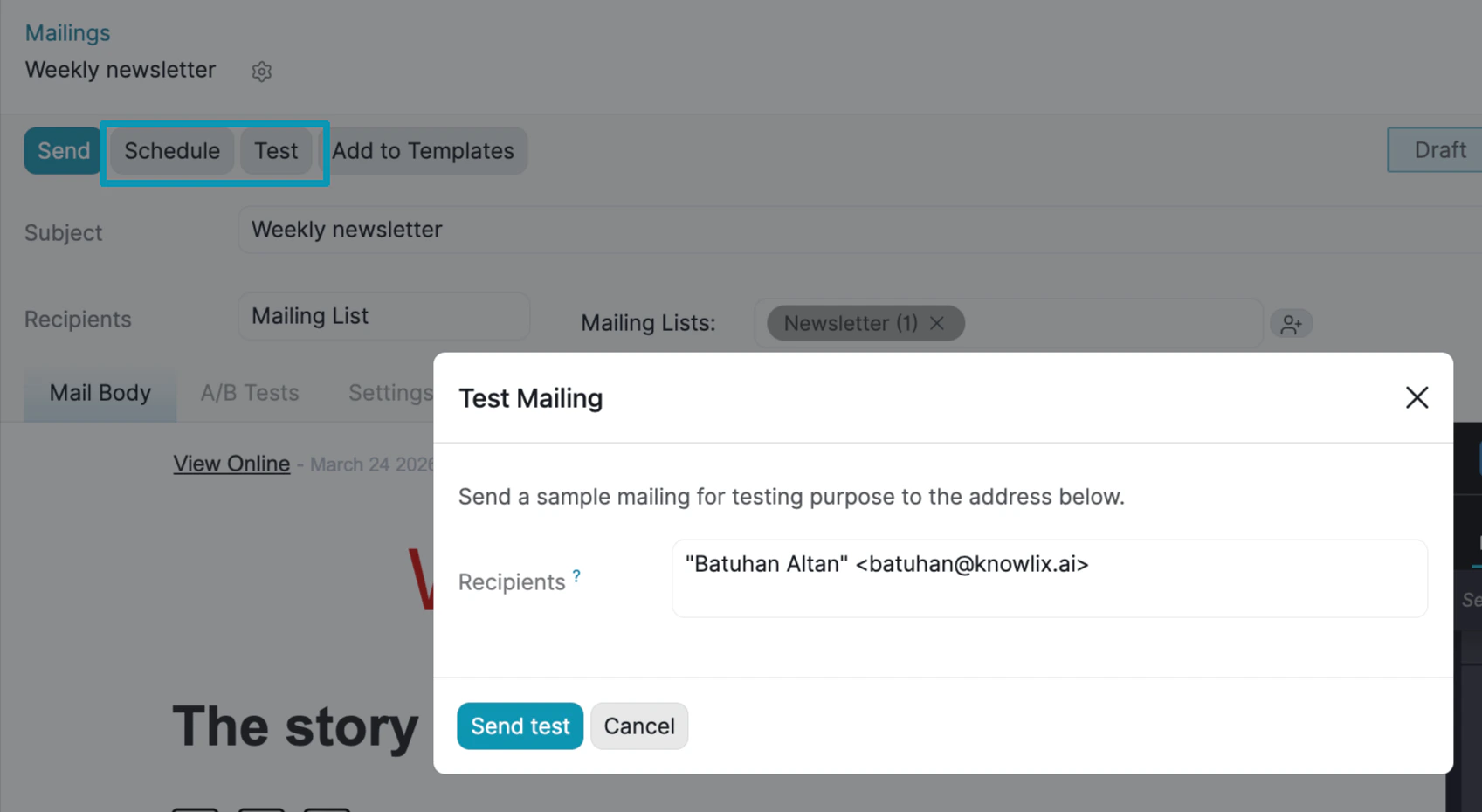
Campaign Analytics
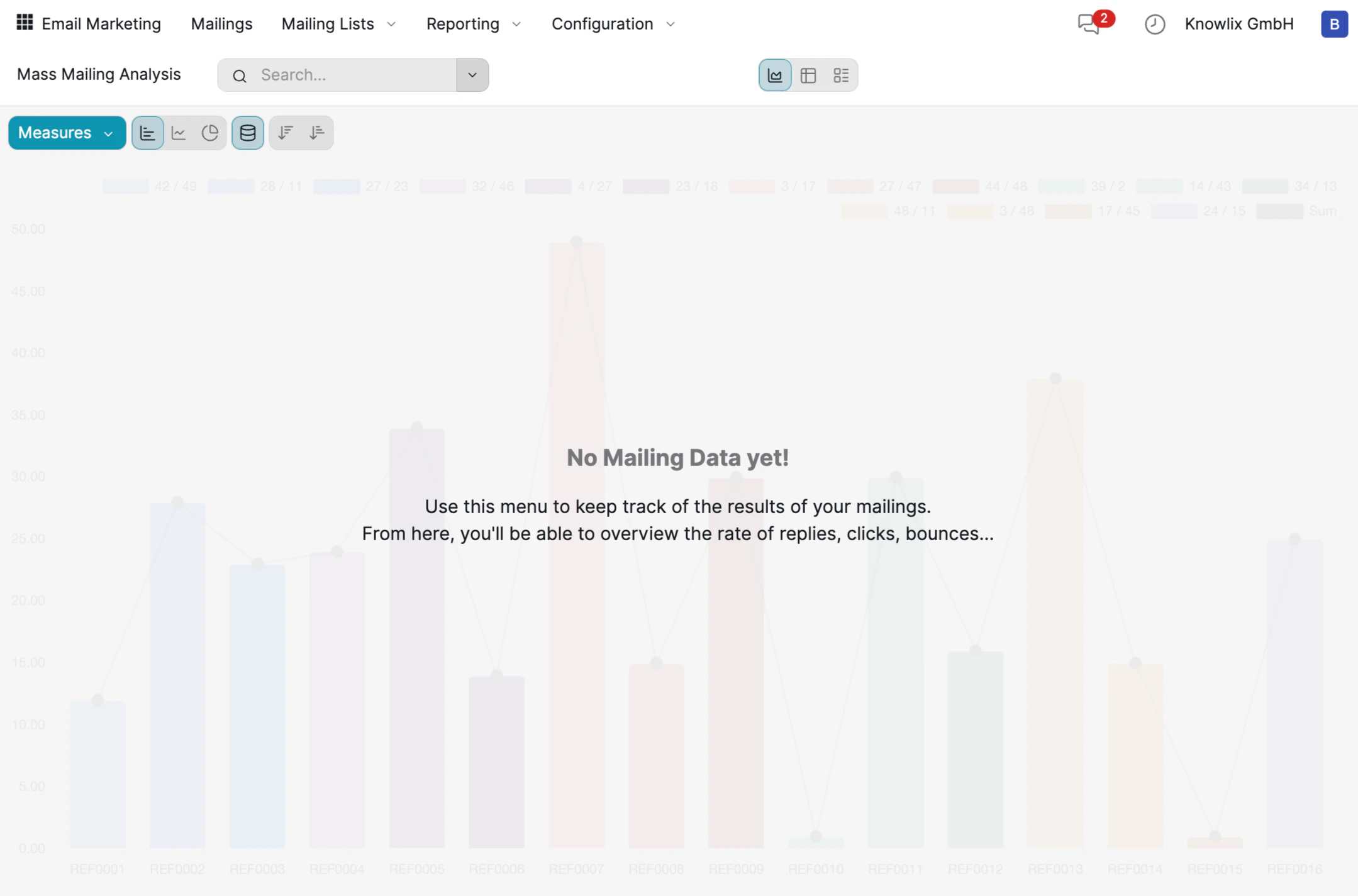
- Bar Charts: Visual comparison of performance across all mailings (REF0001, REF0002, etc.).
- Key Metrics: Replies, clicks, and bounces for each campaign.
- Measures Dropdown: Switch between different metrics to focus on what matters.
- Chart Types: Toggle between bar, line, pie, and pivot table views.
More Information
Email Marketing
Bulk email campaigns and automation
SMS Marketing
SMS campaigns and message management
Social Marketing
Social media management and scheduling
Marketing Automation
Automated marketing workflows and triggers
Pro Tips: Marketing
AI assistant tips for the Marketing module