
- AI Prompt Generation: Create website boilerplate from text descriptions
- Visual Block Builder: Add and customize blocks with drag-and-drop
- Real-Time Preview: See changes instantly across all device sizes
- SEO Optimization: Built-in tools to rank higher in search engines
- E-Commerce Ready: Sell products directly from your website
- Custom Domain: Connect your own domain or use Knowlix subdomain
Creating Your Website with AI
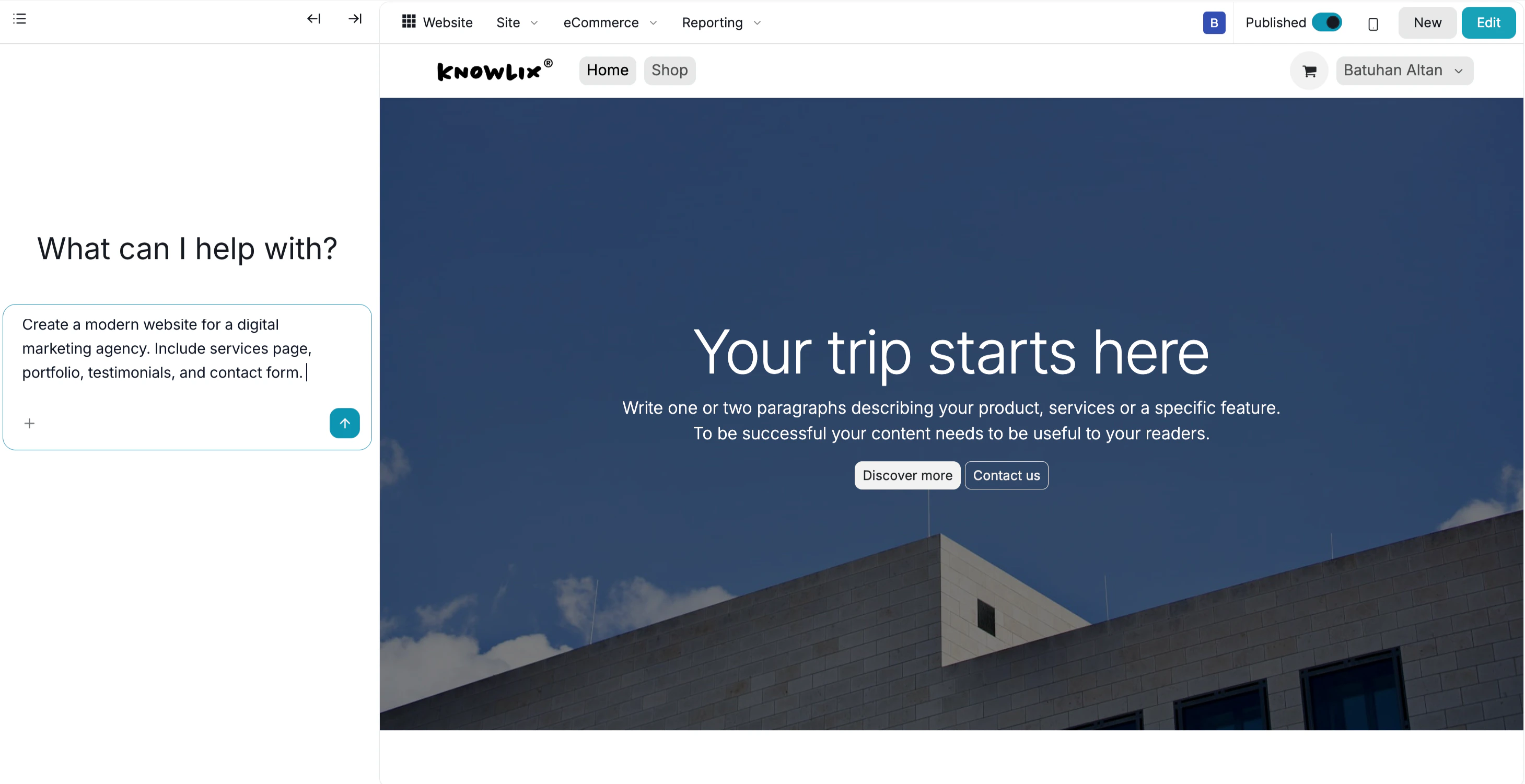
Generate your website structure using natural language prompts. AI Website Generation:- Click Create Website → Generate with AI
- Enter your prompt describing the website structure:
“Create me a modern website for my travel page. Just create the boilerplate. I will fill on my own.”
“Create a professional website for a digital marketing agency with services, portfolio, and contact sections.”
“Build a restaurant website with menu, reservations, and location pages.”
- AI generates the basic structure and layout in seconds
- The boilerplate includes page structure, sections, and navigation
Building and Customizing
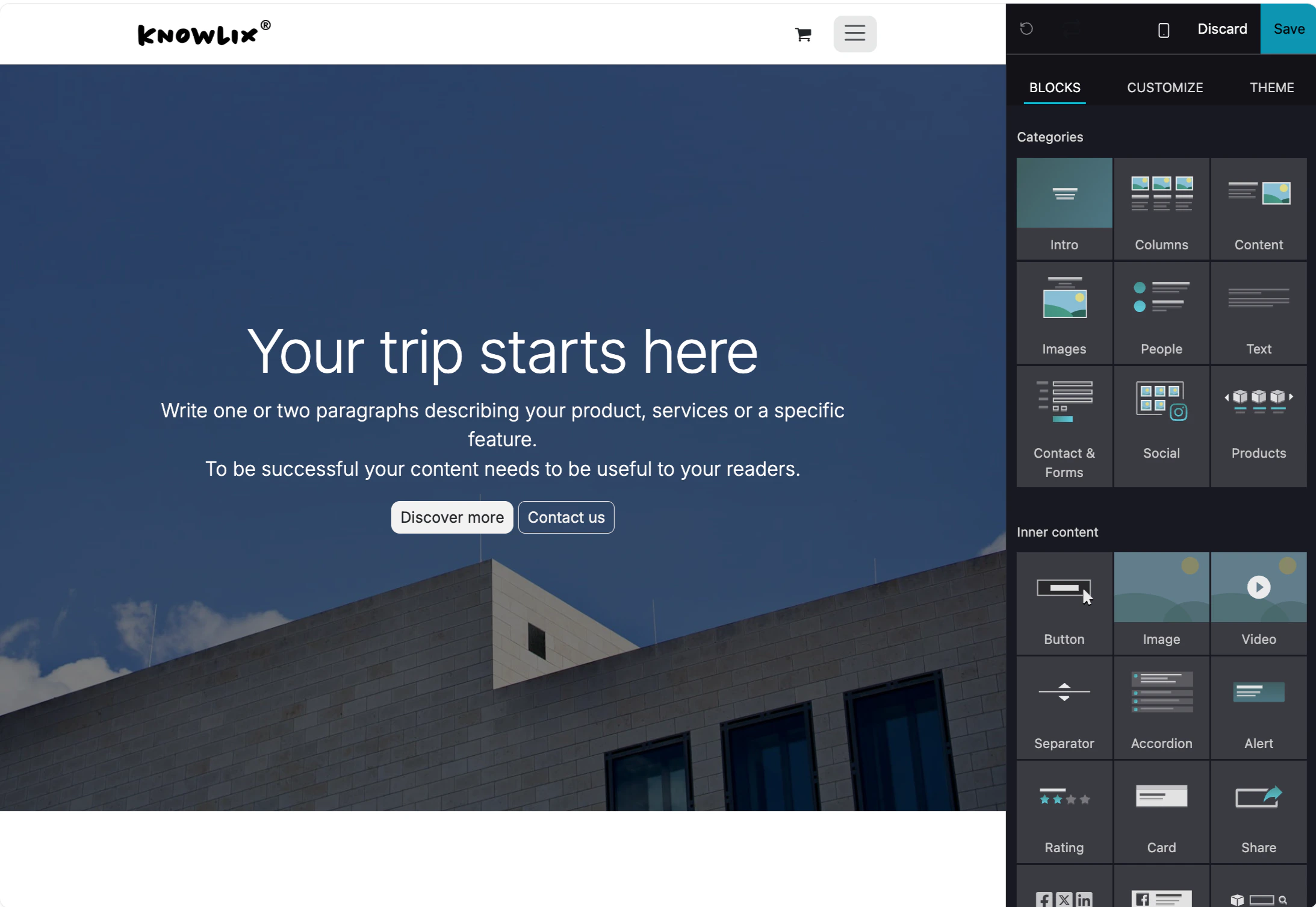
Add blocks and customize your website design. Adding Blocks:- Click the + Add Block button in the top-right corner
- Choose from available block types:
- Hero sections
- Text blocks
- Image galleries
- Contact forms
- Feature grids
- Testimonials
- Call-to-action sections
- Click on any block to edit content
- Drag blocks to reorder them
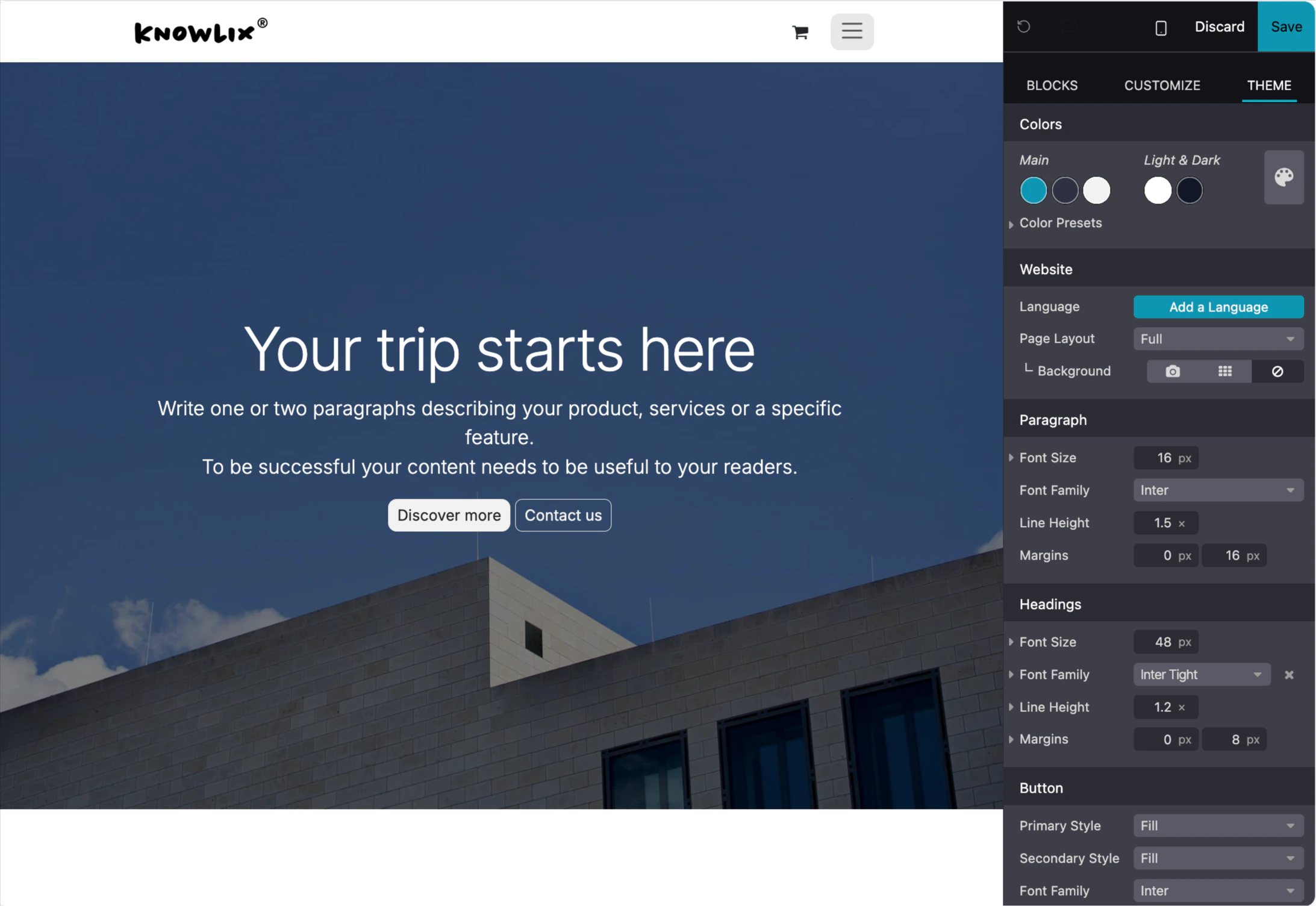
- Customize colors, fonts, spacing, and layout
- Add images, videos, and other media
- Delete blocks you don’t need
- Change global theme colors
- Adjust typography and fonts
- Set spacing and padding
- Configure mobile responsiveness
- Preview changes in real-time
More Information
Website
Website builder and content management
Ecommerce
Online store and product catalog
Blog
Blog authoring and content publishing
Forum
Community forum and discussion management
eLearning
Online courses and training platform
Live Chat
Real-time customer support chat
Pro Tips: Websites
AI assistant tips for the Website module