
Overview
The AI Factory module provides:- AI Manufacturing Orders: Generate production orders instantly with chat commands
- Automated BoM Creation: AI automatically creates Bills of Materials based on context
- Smart Product Recognition: Identifies components and materials from simple descriptions
- Sales Order Integration: Seamlessly converts manufacturing orders to sales orders
- Contact Management: Auto-creates new customers and products as needed
- Real-Time Workflow: Complete manufacturing-to-sales pipeline in one conversation
1. Access the Manufacturing Module
The manufacturing dashboard provides a clear overview of your production pipeline with integrated AI assistance.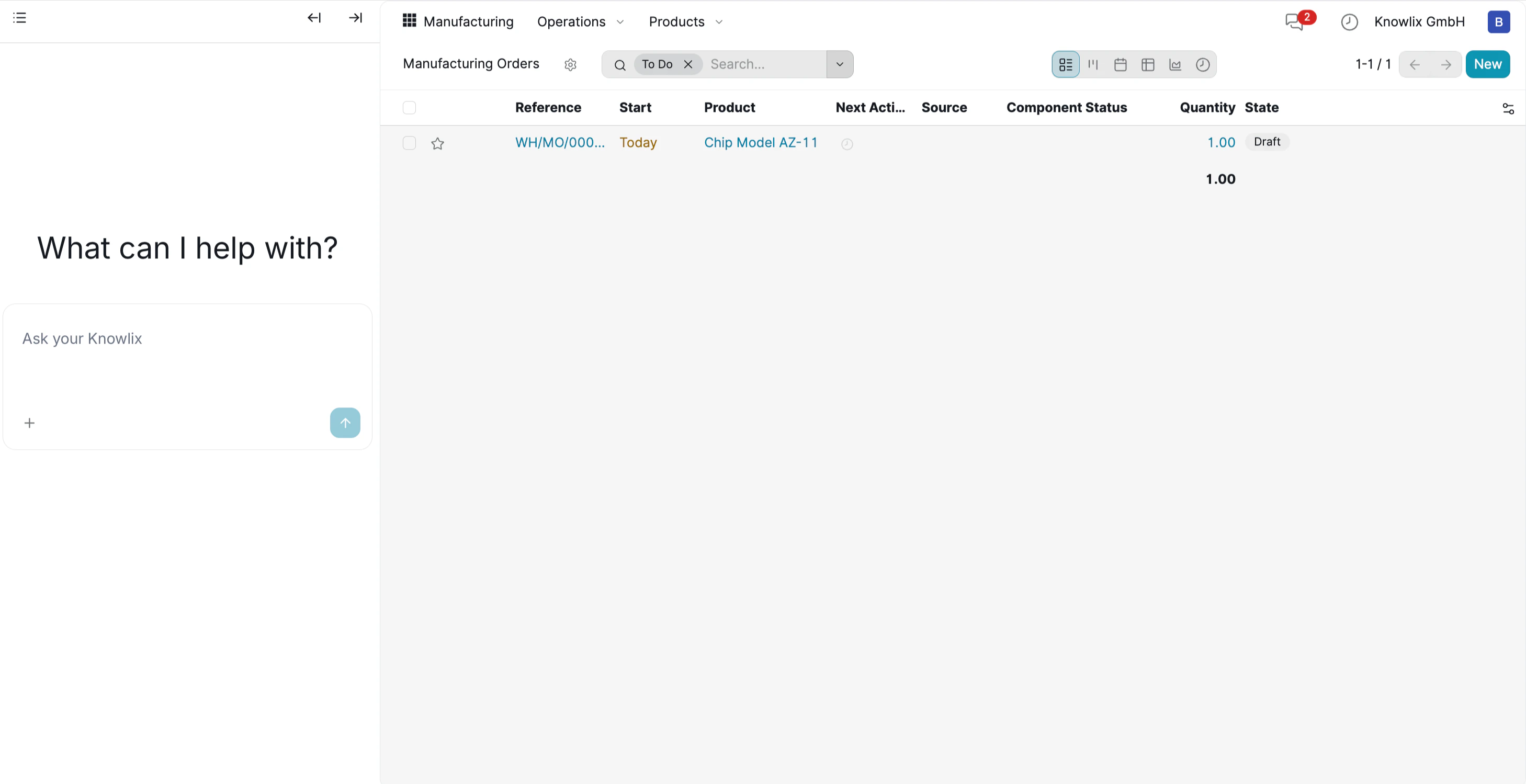
- Navigate to Manufacturing → Manufacturing Orders
- The main view displays your production orders with columns for Reference, Start Date, Product, Status, and Quantity
- On the left side, the Knowlix AI assistant awaits your commands with “What can I help with?”
- Instead of clicking through multiple menus to create orders manually, simply describe what you need in natural language
2. Create Manufacturing Order with AI
Use natural language to instantly generate complex manufacturing orders.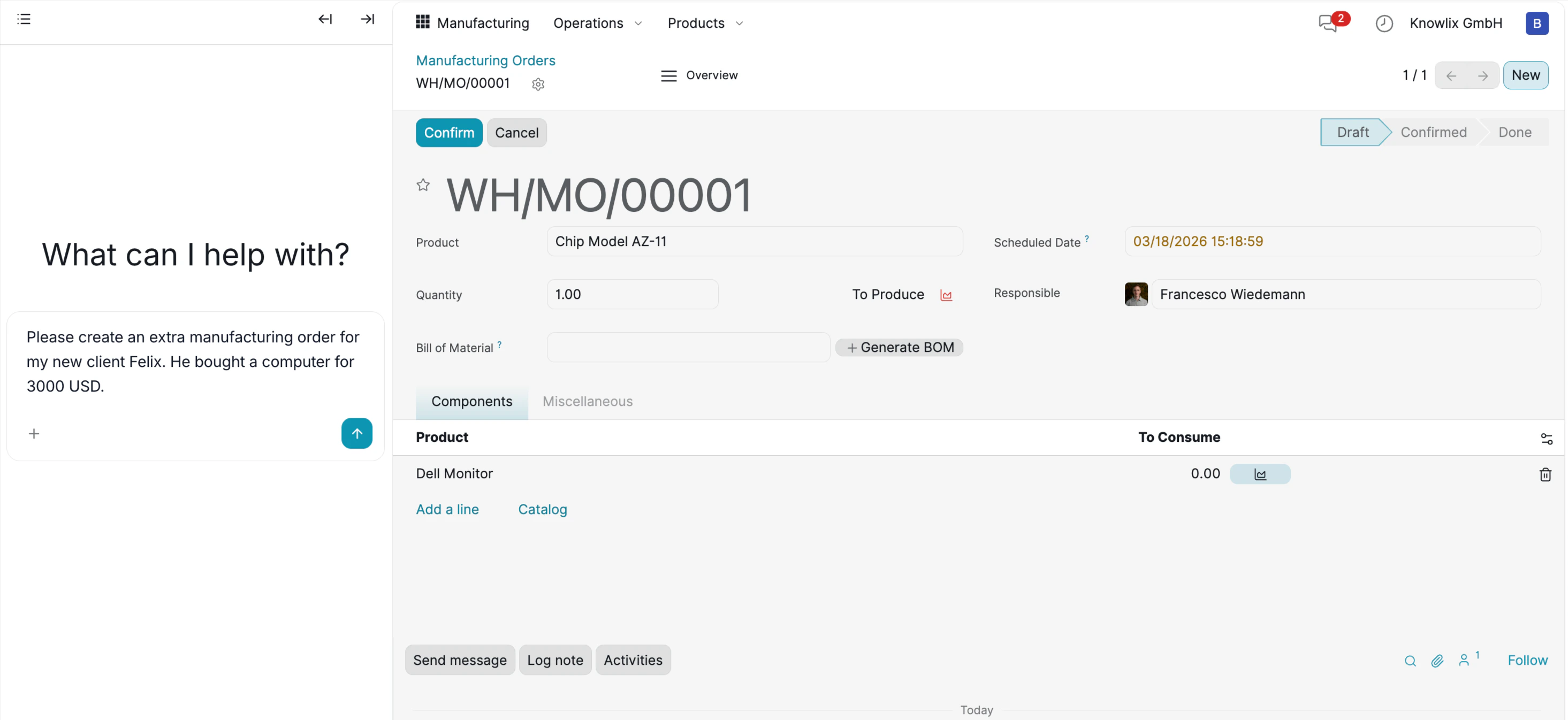
“Please create an extra manufacturing order for my new client Felix. He bought a computer for 3000 USD.”
- Creates Manufacturing Order WH/MO/00001 in Draft status
- Identifies the main product: Chip Model AZ-11
- Generates a Bill of Materials (BoM) including Dell Monitor component
- Sets scheduled date and assigns to responsible personnel (Francesco Wiedemann)
- Calculates quantities: 1.00 unit to produce with 5.00 component quantity
3. Product and Component Management
AI intelligently recognizes products or creates new ones when needed.
- Access Operations → Products dropdown to view all available items
- Choose from Manufacturing Orders, Unbuild Orders, or Scrap workflows
- The system displays existing products like Chip Model AZ-11, Dell Monitor, and Rayban Sunglasses with their prices and stock levels
- When you mention a product that doesn’t exist, AI automatically creates it in the system
4. Automated Sales Order Conversion
AI seamlessly converts manufacturing orders into confirmed sales orders.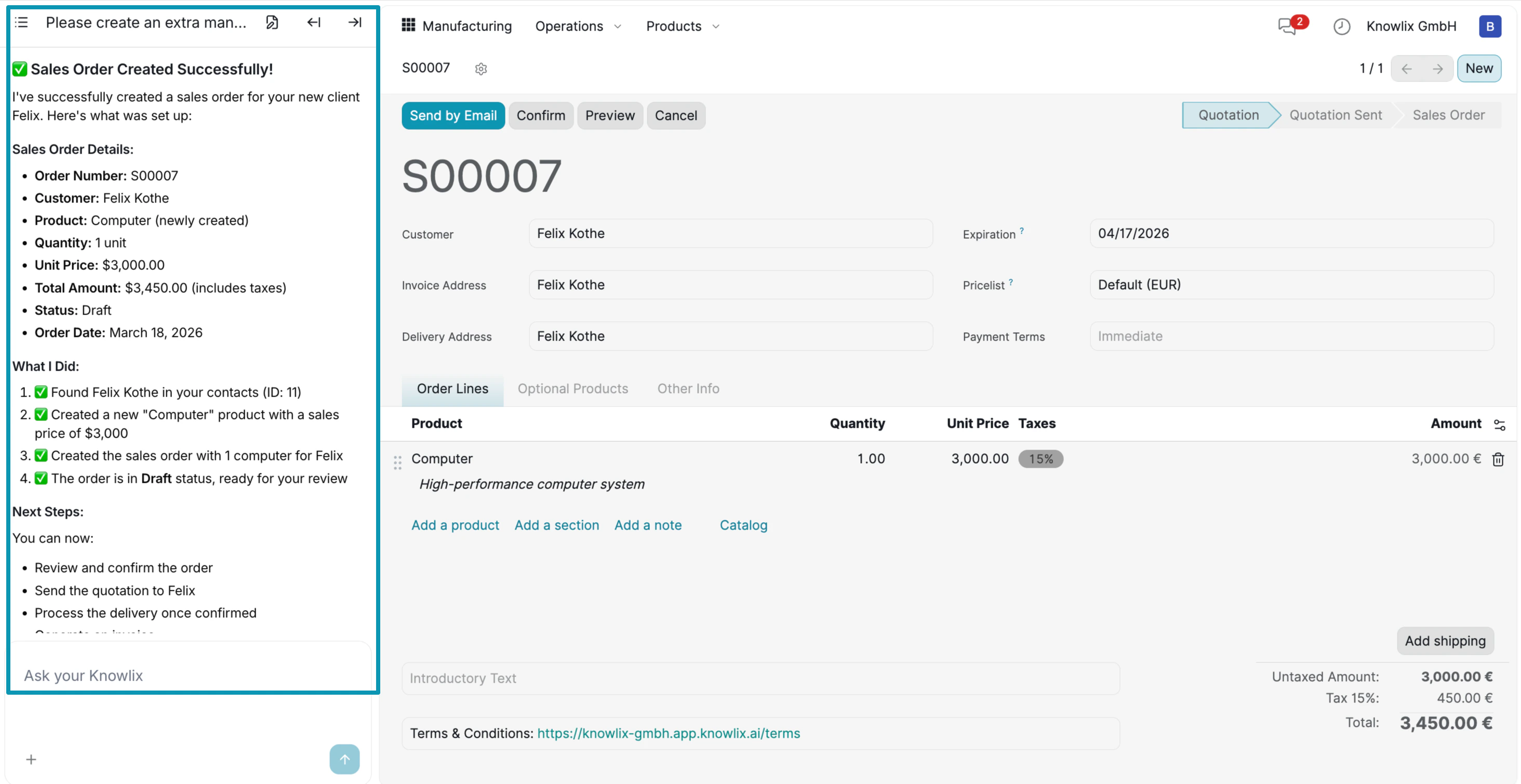
- Sales Order Created Successfully!
- Order number: S00007
- Customer: Felix Kothe
- Product: Computer
- Price: $3,000
- Found Felix Kothe in your contacts (ID: 11)
- Created a “Computer” product with sales price of $3,000
- Generated Manufacturing Order with “1 Computer” for Felix
- Created the order in Draft status, ready for review
- Customer details and delivery address
- Product line: Computer at 3,000.00 € (quantity: 1.00)
- Product description: “High-performance computer system”
- Status: Quotation (ready to confirm)
- Review and confirm the order
- Send the quotation to Felix
- Process the delivery once confirmed