
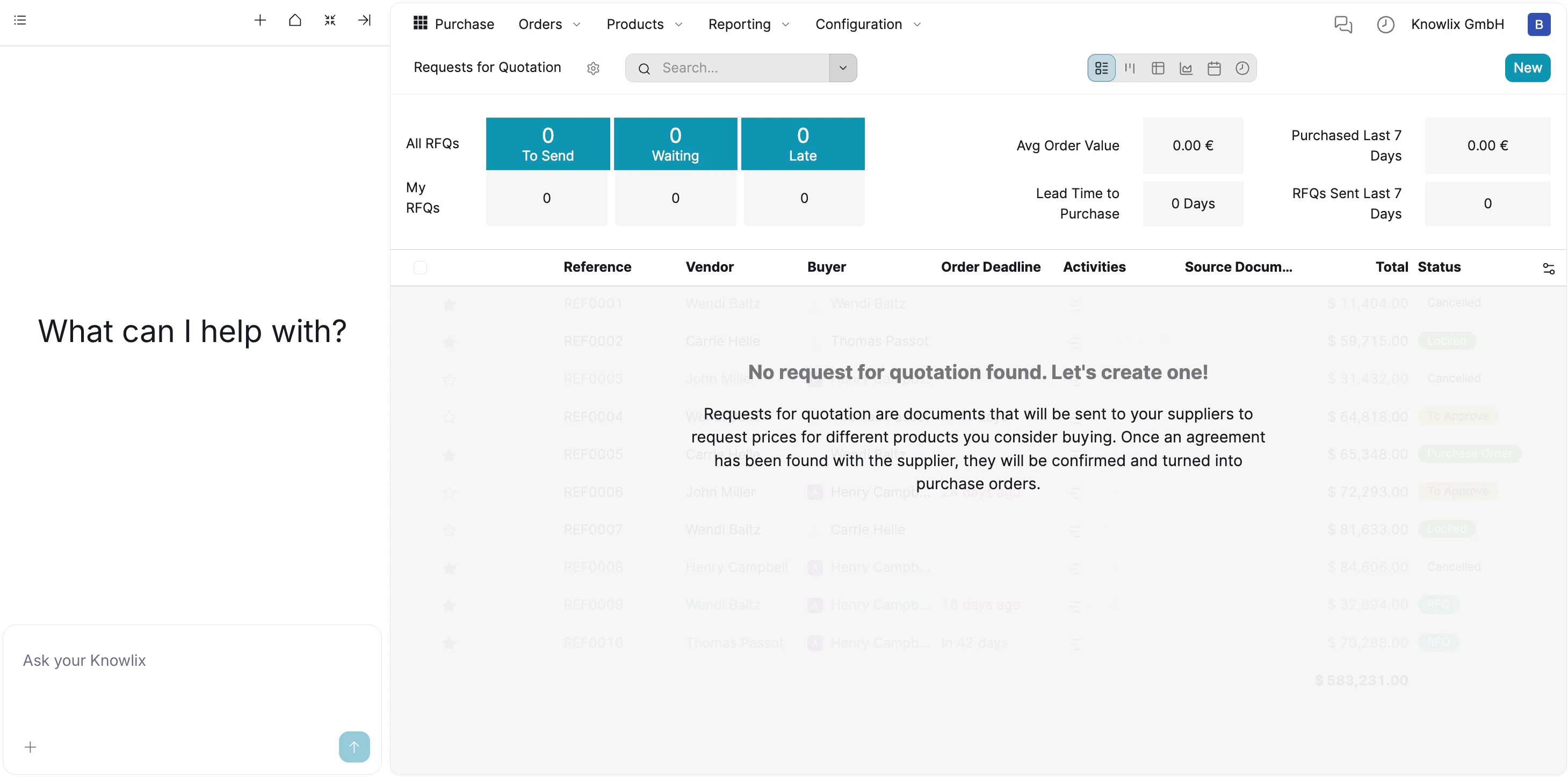
1. Procurement Dashboard
The main dashboard gives you an instant snapshot of your purchasing health without needing to run complex reports. Status Tracking: The top banner categorizes all your RFQs into actionable buckets:- To Send: Drafts waiting to be dispatched to suppliers
- Waiting: RFQs sent to suppliers awaiting response
- Late: Overdue requests requiring immediate attention
- Average Order Value: Track spending patterns
- Purchased Last 7 Days: Recent procurement activity
- Lead Time to Purchase: How long it takes to get goods
2. Workflow: RFQ to Purchase Order
The module is built around the “Request for Quotation” (RFQ) process:- Create RFQ: You start by creating a request listing the products you need.
- Send to Supplier: This document is sent to vendors to get their best prices.
- Confirm Order: Once you agree on the price, the RFQ is converted into a confirmed Purchase Order, signaling the supplier to ship the goods.
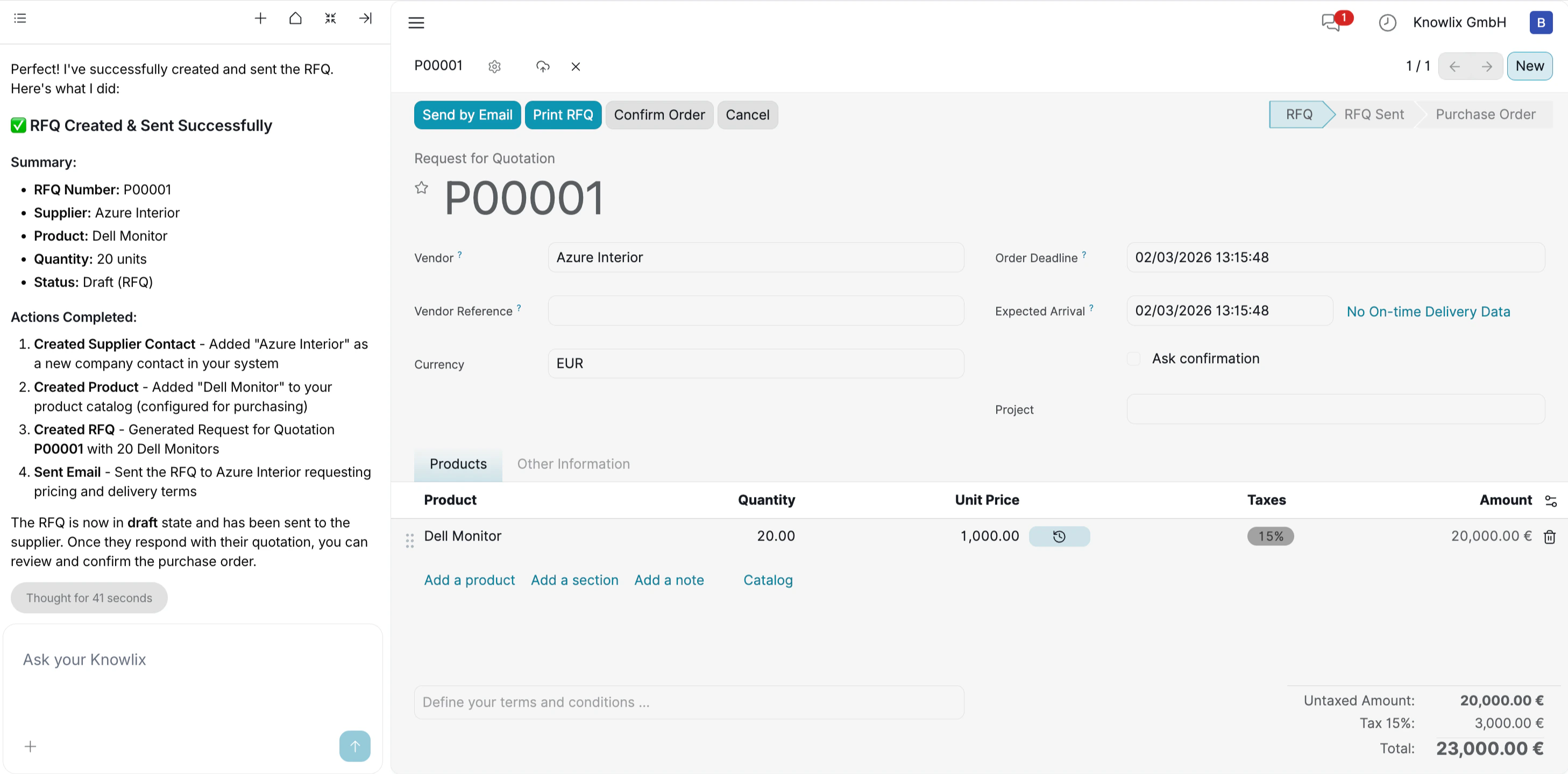
3. AI-Assisted Buying
Instead of manually filling out supplier forms, you can use the Knowlix Assistant on the left. Example Command:“Create an RFQ for 20 Dell Monitors from Azure Interior and send it by email.”
4. AI-Driven Purchase Order Creation
Knowlix eliminates the need to navigate through empty lists or search for “Create” buttons. You can initiate a purchase workflow directly through the chat interface, even when starting with a blank slate. Command Example:“Can you create a purchase order for the rayban? The price is 5000 euro”
- Intent Recognition: The AI understands that the goal is a Purchase Order (not a sales quote or project task).
- Data Extraction: It pulls specific details from your natural language input—Product: “Rayban” and Price: “5000 euro”—to pre-fill the document automatically.
5. Automated Resource Creation
When you issue a command like “Order Rayban”, Knowlix does not stop if the data is missing. Instead, it intelligently generates the required records in the background to ensure the workflow proceeds without interruption. Smart Execution Details:- New Vendor Creation: The system recognized that “Rayban” was not in your contact list and automatically created a new vendor profile for them.
- Product Generation: Similarly, it identified “Rayban Sunglasses” as a new item and instantly created a product record with the specified price (5,000.00 €).
- Financial Accuracy: The AI automatically applied the standard tax rate (15%), calculating the final total of 5,750.00 € without requiring manual math.
6. Real-Time Tracking & Prioritization
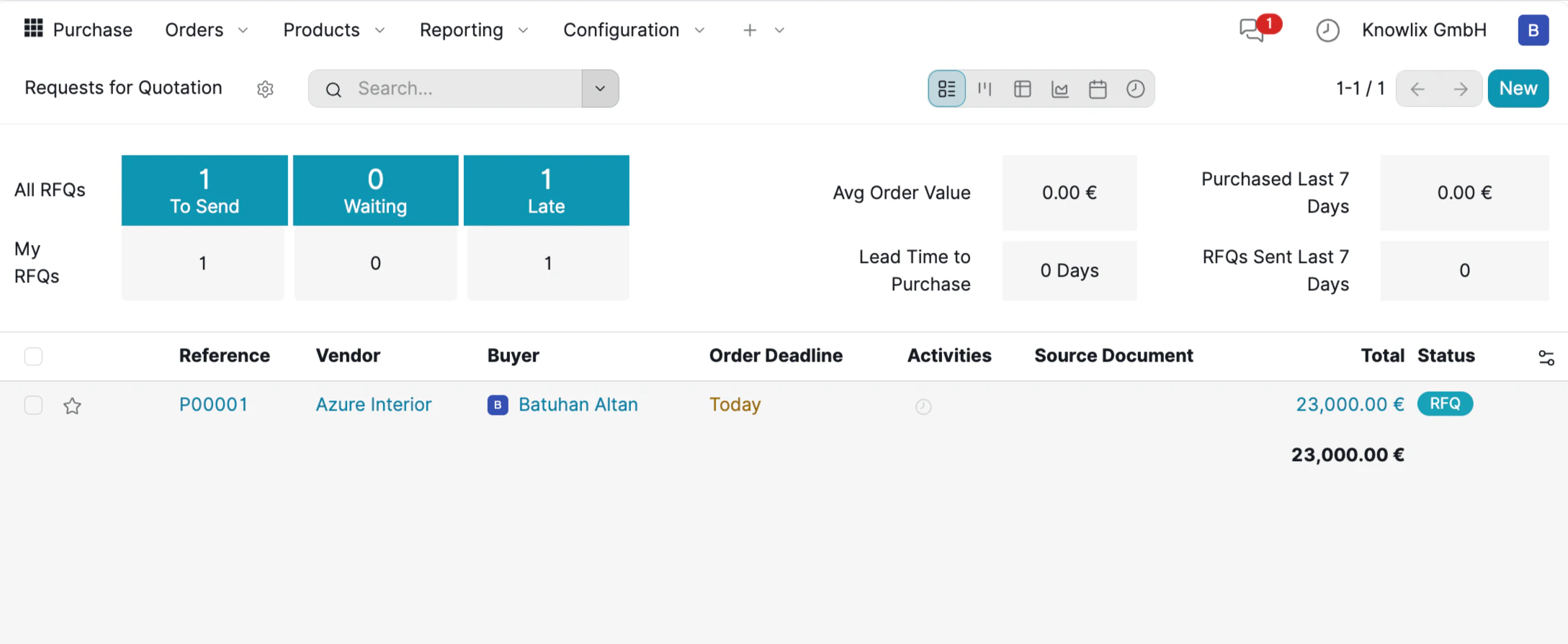
- Actionable Counters: The top banner flags items like 1 To Send and 1 Late. This immediate feedback ensures no draft is forgotten and helps you spot bottlenecks instantly.
- Financial Visibility: The list view displays the confirmed value, allowing you to track committed spend against your budget at a glance.
- Deadline Highlighting: The system visually prioritizes your work. The Order Deadline is marked in yellow (e.g., “Today”), signaling that this action requires immediate attention to ensure on-time delivery.
7. Draft Review & Customization
While the Assistant accelerates the process by drafting the Request for Quotation (RFQ), Knowlix ensures you retain full control over the final details before anything is sent to a vendor. Manual Override & Editing: The generated document opens in an editable view, allowing you to fine-tune the data based on real-time negotiations or budget adjustments.- Price Adjustment: You can manually click into the Unit Price column to update costs.
- Quantity & Terms: You can easily adjust the quantity or modify the Order Deadline to match your project timeline.
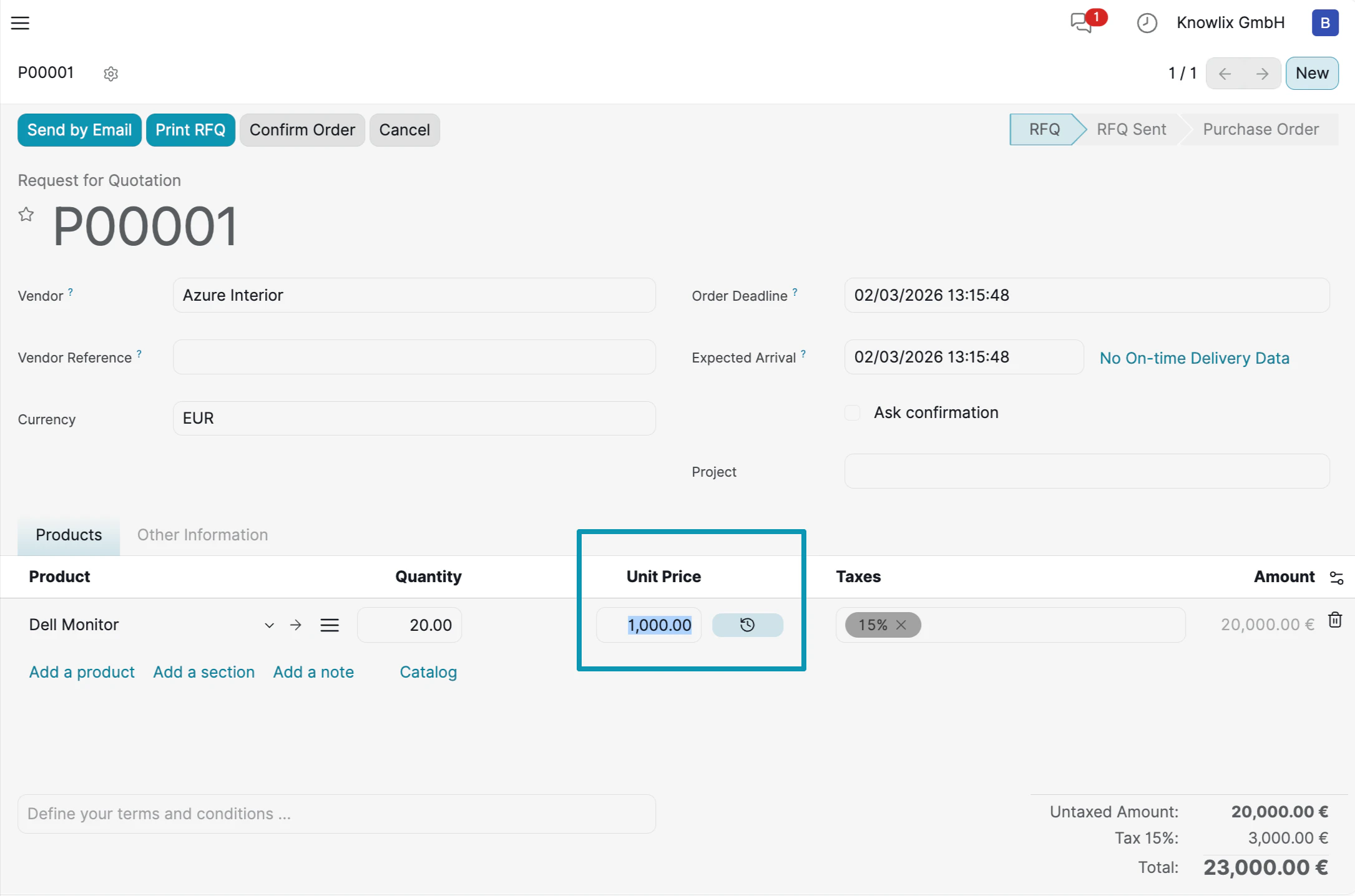
- Send by Email: Dispatch the RFQ to the vendor immediately.
- Confirm Order: Click this button to convert the draft RFQ into a binding Purchase Order, officially triggering the procurement workflow.