Overview
The AI Website module provides:- AI Prompt Generation: Create website boilerplate from text descriptions
- Visual Block Builder: Add and customize blocks with drag-and-drop
- Real-Time Preview: See changes instantly across all device sizes
- SEO Optimization: Built-in tools to rank higher in search engines
- E-Commerce Ready: Sell products directly from your website
- Custom Domain: Connect your own domain or use Knowlix subdomain
Creating Your Website with AI
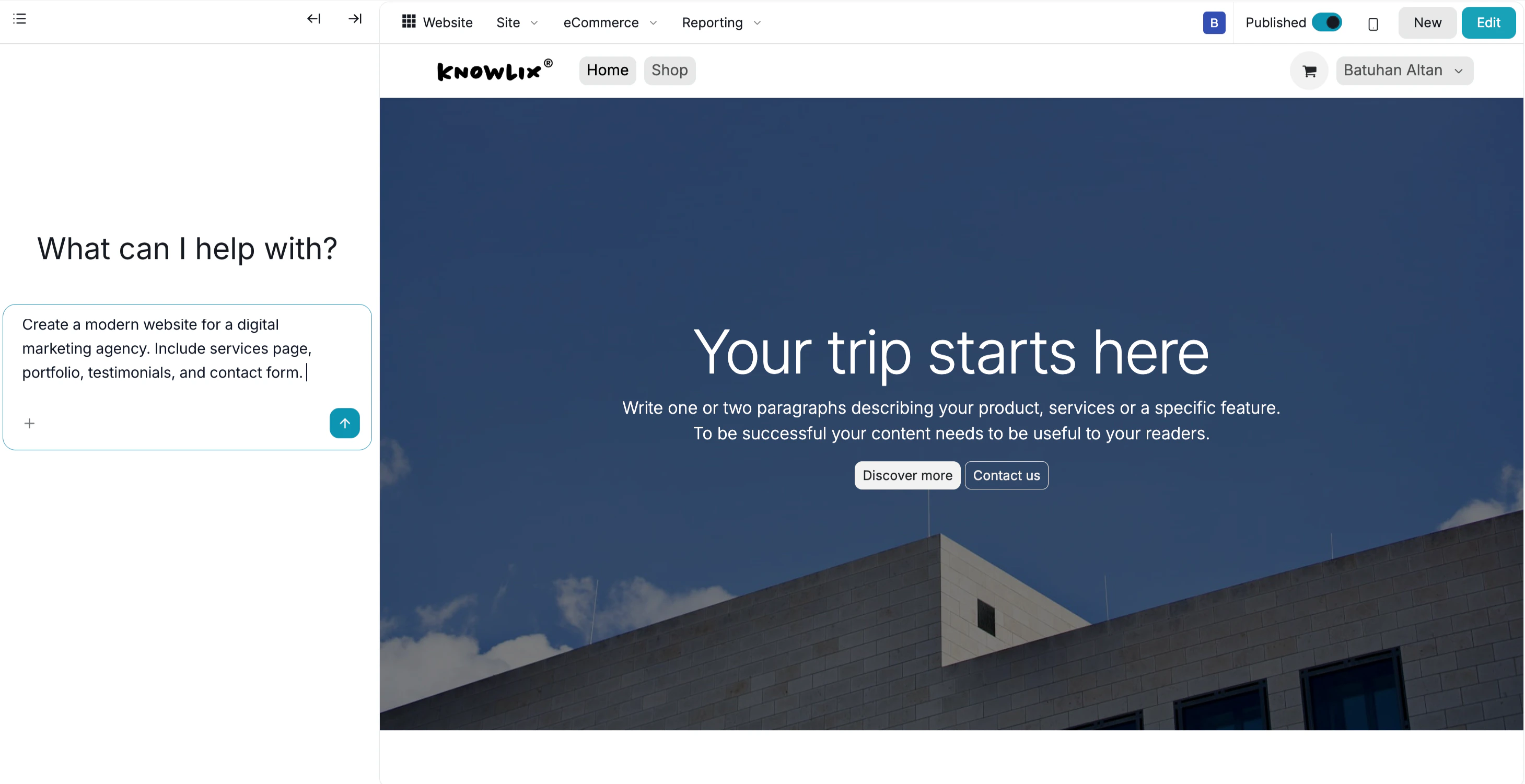
Generate your website structure using natural language prompts. AI Website Generation:- Click Create Website → Generate with AI
- Enter your prompt describing the website structure:
“Create me a modern website for my travel page. Just create the boilerplate. I will fill on my own.”
“Create a professional website for a digital marketing agency with services, portfolio, and contact sections.”
“Build a restaurant website with menu, reservations, and location pages.”
- AI generates the basic structure and layout in seconds
- The boilerplate includes page structure, sections, and navigation
Building and Customizing
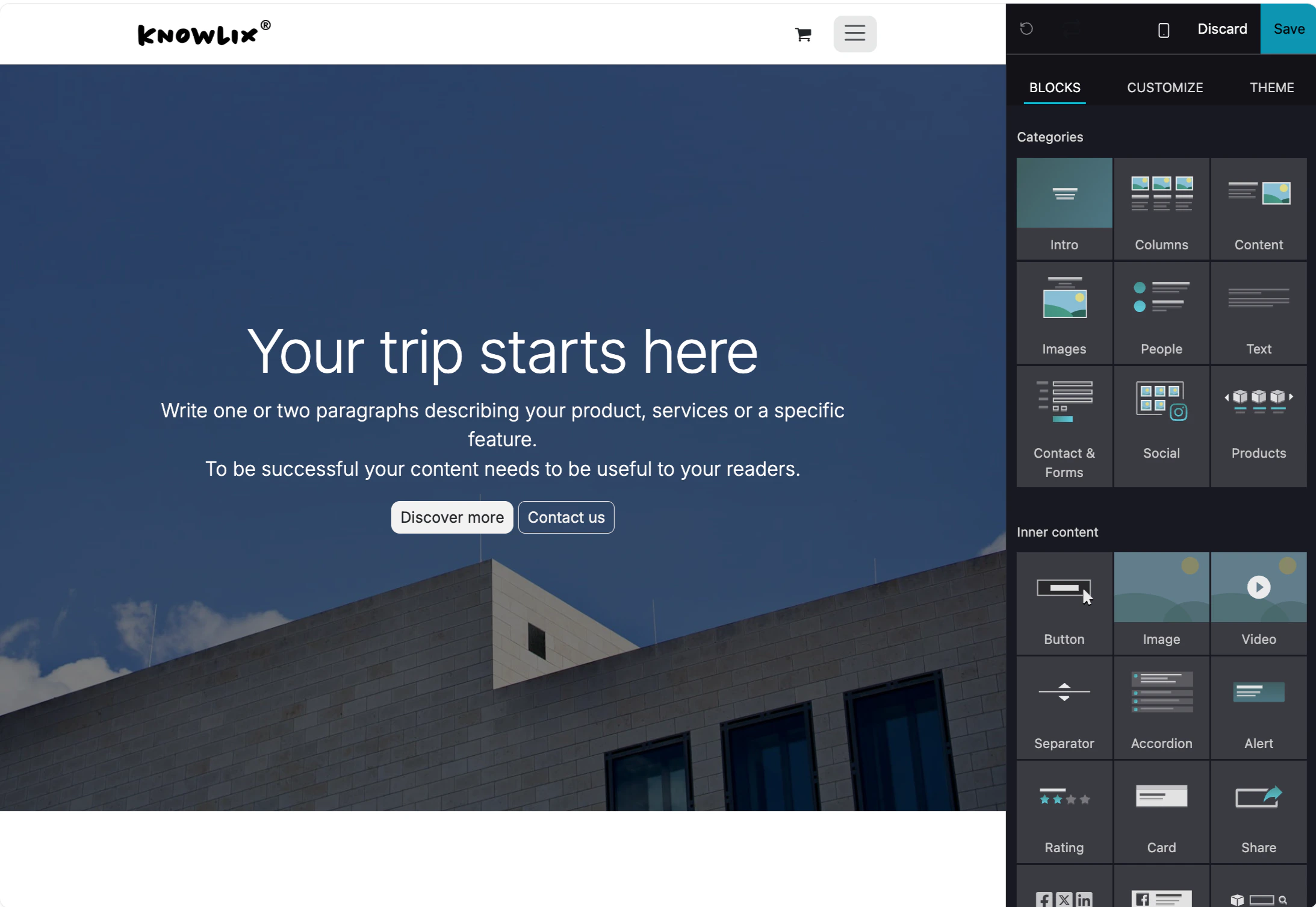
Add blocks and customize your website design. Adding Blocks:- Click the + Add Block button in the top-right corner
- Choose from available block types:
- Hero sections
- Text blocks
- Image galleries
- Contact forms
- Feature grids
- Testimonials
- Call-to-action sections
- Click on any block to edit content
- Drag blocks to reorder them
- Customize colors, fonts, spacing, and layout
- Add images, videos, and other media
- Delete blocks you don’t need
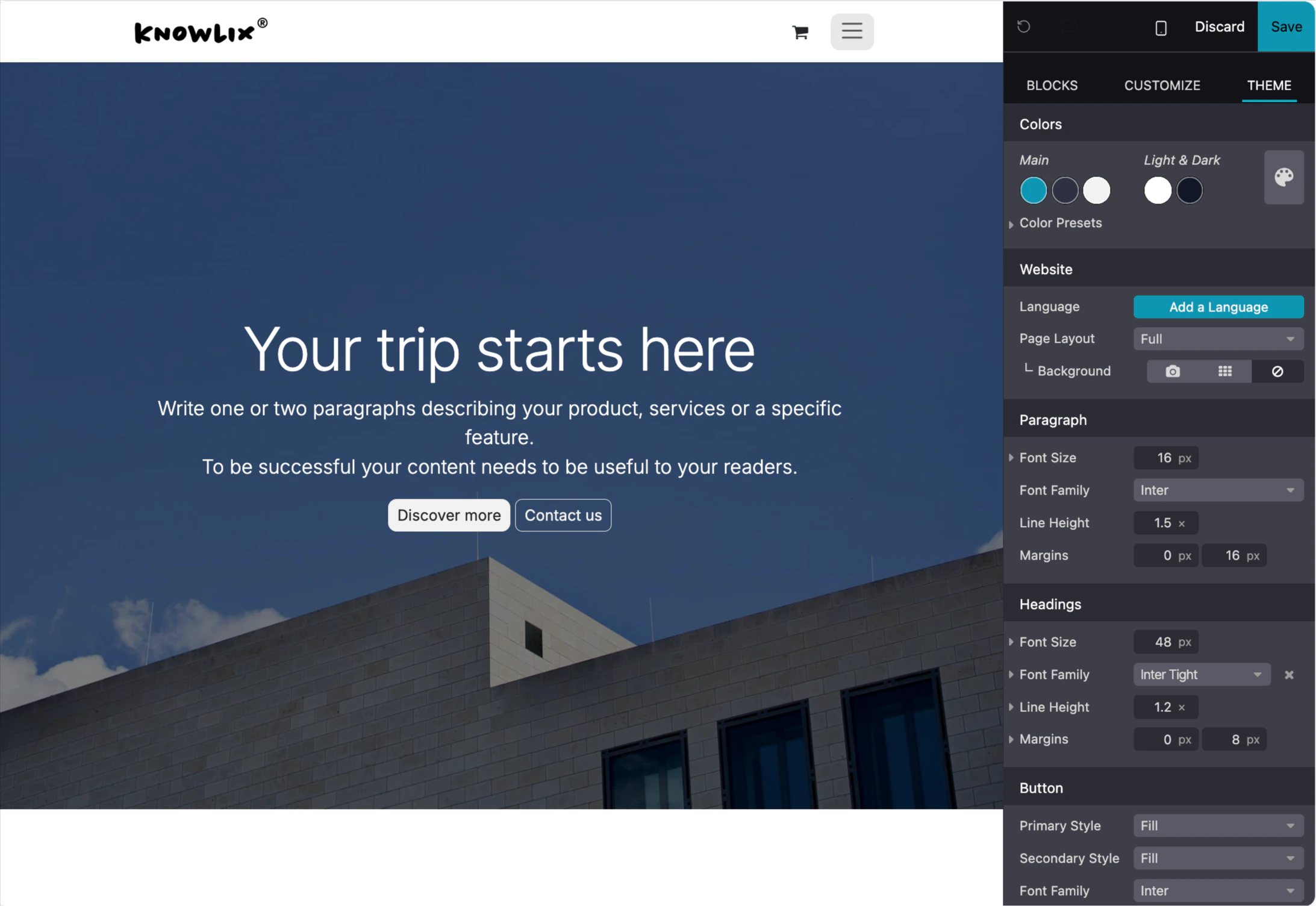
- Change global theme colors
- Adjust typography and fonts
- Set spacing and padding
- Configure mobile responsiveness
- Preview changes in real-time