
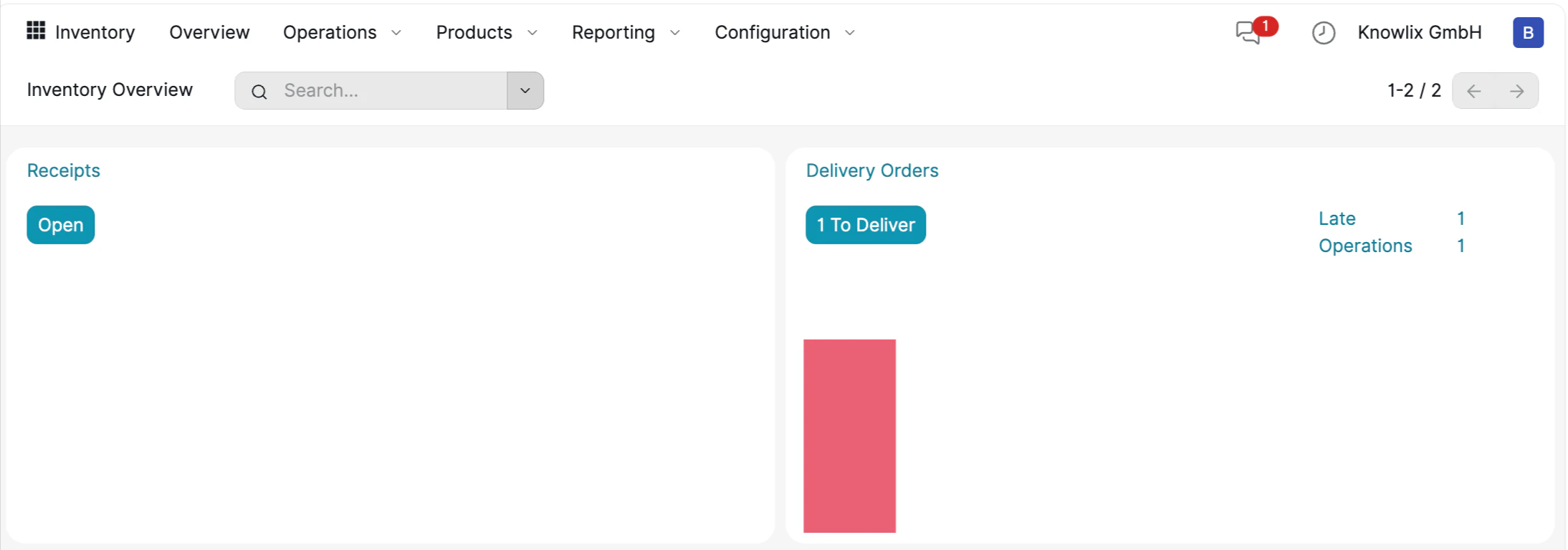
1. Inventory Dashboard Overview
The dashboard is organized into clear cards representing different operation types, providing instant access to critical supply chain functions. Operational Cards:- Receipts (Incoming): This card tracks goods coming into your warehouse from suppliers. Clicking “Open” allows you to process new stock arrivals generated from your Purchase Orders.
- Delivery Orders (Outgoing): This card manages shipments to customers. It highlights pending work, such as the “1 To Deliver” button, which takes you directly to orders ready for shipping.
- Status Indicators: On the Delivery card, you can instantly see that there is 1 Late order and 1 Operation pending.
- Visual Warning: The red bar graph provides a quick visual warning of bottlenecks or overdue tasks, ensuring you can react before a customer complains.
You can ask the Assistant: “Show me all late deliveries” or “What stock is arriving today?” to filter these operations instantly without clicking through menus.
2. Managing Outgoing Deliveries
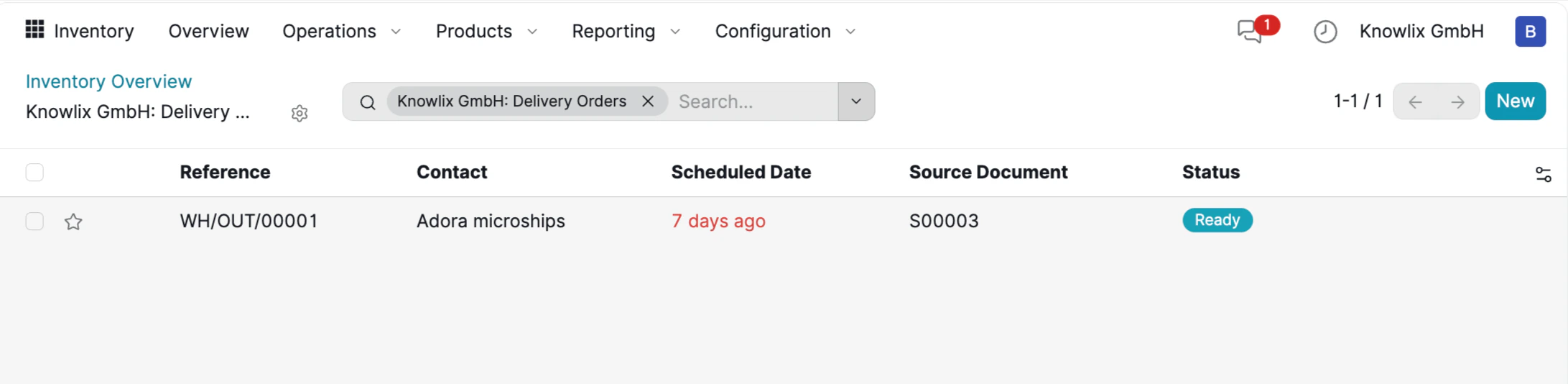
- Automated Creation: The Source Document column displays references like
S00003, confirming that the delivery order was automatically generated from the Sales Order created earlier. You do not need to manually tell the warehouse what to ship; the Sales module does it for you.
- Ready to Ship: The Status badge is marked as Ready (in teal). This indicates that the items are currently in stock, reserved for this specific order, and can be processed immediately.
- Urgency Alerts: The system visually flags issues. The Scheduled Date shows overdue shipments in red text (e.g., “7 days ago”), instantly alerting the warehouse manager that this shipment requires priority handling.
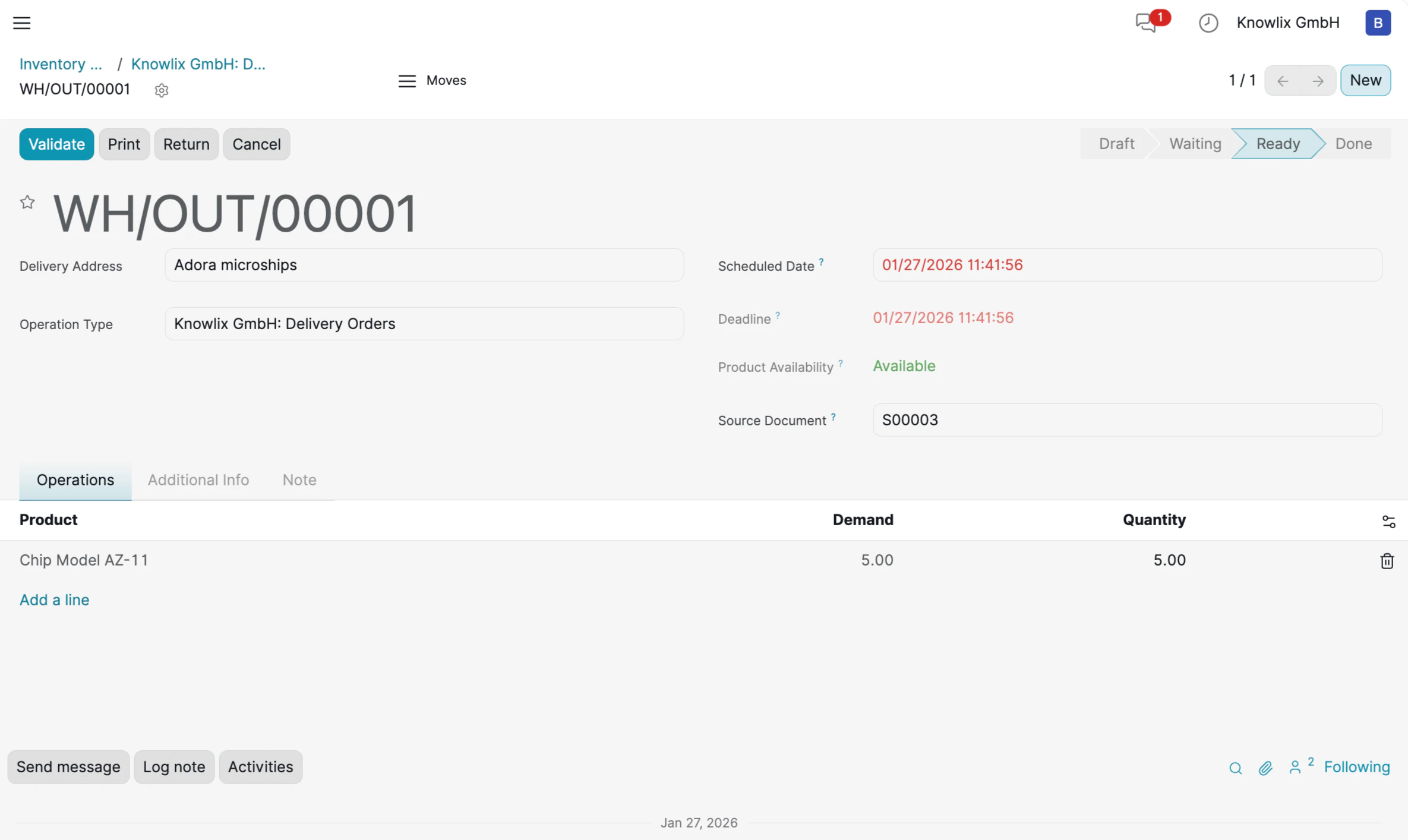
3. AI-Powered Inventory Replenishment
Knowlix eliminates the need to navigate through empty lists or search for “Create” buttons. You can initiate inventory workflows directly through the chat interface, even when starting with a blank slate. Example Command:“Can you create a purchase order for the rayban? The price is 5000 euro”
- Intent Recognition: The AI understands that the goal is inventory replenishment through a Purchase Order.
- Data Extraction: It pulls specific details from your natural language input—Product: “Rayban” and Price: “5000 euro”—to pre-fill the document automatically.
4. Automated Resource Creation
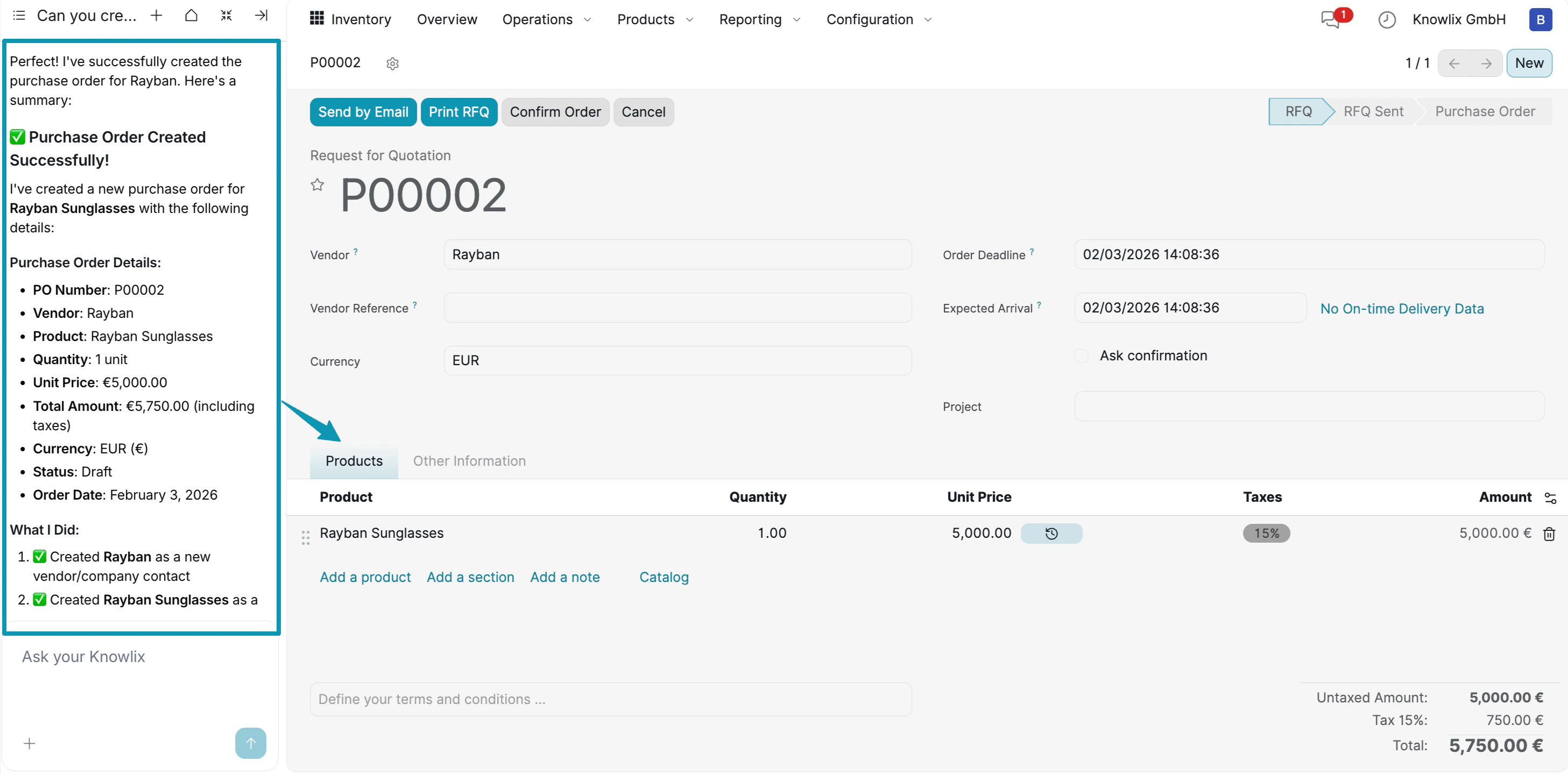
When you issue a command like “Order Rayban”, Knowlix does not stop if the data is missing. Instead, it intelligently generates the required records in the background to ensure the workflow proceeds without interruption. Smart Execution Details:- New Vendor Creation: The system recognized that “Rayban” was not in your contact list and automatically created a new vendor profile for them.
- Product Generation: Similarly, it identified “Rayban Sunglasses” as a new item and instantly created a product record with the specified price (5,000.00 €).
- Financial Accuracy: The AI automatically applied the standard tax rate (15%), calculating the final total of 5,750.00 € without requiring manual math.
5. Real-Time Stock Tracking
The Inventory module provides real-time visibility into stock levels, ensuring you never run out of critical items. Key Features:- Live Stock Updates: As goods are received or shipped, stock levels update automatically across all connected modules.
- Low Stock Alerts: The system can notify you when inventory falls below defined thresholds.
- Multi-Location Support: Track inventory across multiple warehouses or storage locations.
6. Integration with Sales & Purchases
The Inventory module seamlessly integrates with other Knowlix applications:- Automatic Reservations: When a Sales Order is confirmed, inventory is automatically reserved for that order.
- Receipt Processing: Purchase Orders automatically generate receipt operations for incoming stock.
- Data Synchronization: No need to manually update inventory; the system handles it automatically based on your sales and purchase activities.